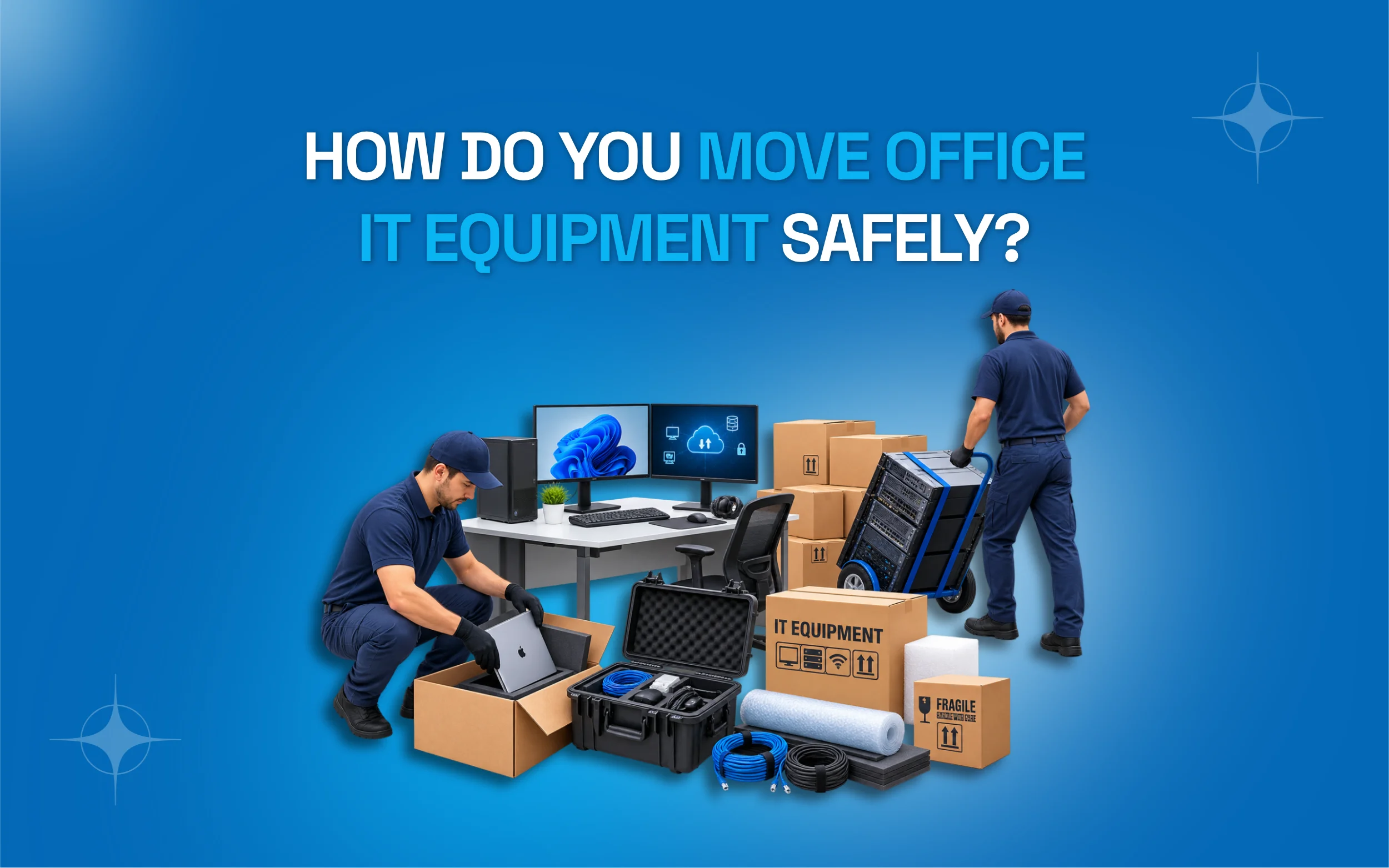
Moving an office is already a big job, but moving IT equipment can be even more stressful. Computers, servers, monitors, and other devices can get damaged if they are not handled properly. A loose cable can also cause problems when you set everything up again. In some cases, poor packing or handling can even lead to data loss or costly repairs. That’s why it is important to know how do you move office IT equipment safely before moving day arrives.
A safe IT move starts with careful planning. You need to back up important data, disconnect each device properly, label cables, pack equipment with care, and transport everything safely. After the move, each device should be checked and connected correctly. In this guide, we’ll explain simple and easy steps so you can move your office IT equipment with less stress and fewer problems.
What Does It Mean to Move Office IT Equipment Safely?
Moving IT equipment safely means protecting your computers, servers and networking tools from damage, data loss and downtime during a relocation. It includes proper packing, careful handling and a clear plan for setup at the new location. This is not just about wrapping boxes in bubble wrap. It is about protecting the heart of your business. Your files, your systems and your daily work all depend on this equipment. A safe move keeps your business running with almost no interruption.
Why Safe IT Equipment Moving Matters for Your Business
A damaged server or a lost hard drive can cost thousands of dollars. It can also cost days of downtime. Clients may not be able to reach you. Employees may sit idle without access to files or software. This is why learning how do you move office IT equipment safely is not a small detail. It is a core part of any office relocation plan. A single mistake during packing or transport can affect your entire company for weeks. Planning ahead protects your money, your time and your reputation. It also gives your team peace of mind during a stressful process.

How to Plan Your Office IT Move Step by Step
A good plan makes everything easier. Here are the main steps you should follow before moving day arrives.
Create a full inventory list: Write down every device, cable and accessory. This helps you track what you own and notice anything missing after the move.
Back up all your data first: Save copies of important files on the cloud or an external drive. This protects your business even if something goes wrong.
Label every cable and device: Use tags or colored stickers so setup at the new office becomes fast and simple for your team.
Assign a move coordinator: One person should manage the IT move from start to finish. This avoids confusion and missed steps.
Set a realistic moving date: Choose a time with low work demand, such as a weekend, to reduce business disruption.
Best Packing Materials for IT Equipment
Choosing the right materials protects your devices from shocks, dust, and moisture. Here is a simple table to guide your packing choices.
|
Equipment Type |
Recommended Packing Material |
|
Desktop computers |
Anti-static bubble wrap and sturdy boxes |
|
Monitors |
Original boxes if available or foam padding |
|
Servers |
Padded server cases with shock absorption |
| Cables and wires |
Labeled zip lock bags |
| Printers |
Bubble wrap plus original packaging |
Using the wrong materials, like regular paper or thin plastic, increases the risk of damage. Always use materials made for electronics.
How to Move Computers and Monitors Safely
Computers and monitors are common items in every office, so they need careful handling. Start by shutting down every device properly before you unplug anything. Never pull cords while a system is still running.
Remove all cables and place them in labeled bags. This avoids confusion later. Wrap each monitor in bubble wrap and place it upright in a sturdy box. Never lay monitors flat, since this can damage the screen. For desktop towers, use anti-static wrap to protect internal parts from dust and static charge. Keep all boxes away from extreme heat or cold during transport. A simple, steady approach here prevents most common damage during an office move.
How to Move Servers and Networking Equipment
Servers hold the most valuable data in your office, so they need extra care. Before the move, create a full backup and confirm it works. This step alone can save your business from major losses. Turn off servers using the proper shutdown process, not a quick power cut. Sudden shutdowns can corrupt files or damage hardware.
Use padded server cases designed to absorb shocks during transport. Keep servers upright at all times, since tilting can affect internal components. Networking equipment, like routers and switches, should also be labeled clearly with photos of their original cable setup. This makes reconnecting everything at the new office much faster and reduces daily downtime.
Common Mistakes to Avoid When Moving IT Equipment
Even careful teams make mistakes during a busy move. Knowing these common errors ahead of time helps you avoid costly problems on moving day.
Skipping data backups: Many businesses assume nothing will go wrong, then lose important files during transport due to sudden damage.
Using regular moving boxes: Standard boxes do not protect electronics from shocks, dust or static, leading to hardware failure later.
Not labeling cables: This causes major confusion and wasted hours when setting up equipment again at the new office location.
Moving equipment without a plan: Random packing without checklists often leads to missing items or damaged devices during transport.
Ignoring temperature control: Extreme heat or cold inside a moving truck can harm sensitive electronic components permanently.
DIY Move vs Hiring Professional Movers
Many businesses wonder whether to handle the IT move themselves or hire experts. Here is a simple comparison to help you decide.
|
Factor |
DIY Move |
Professional Movers |
|
Risk of damage |
Higher | Lower |
| Time required | Longer |
Shorter |
|
Cost |
Lower upfront | Higher upfront but safer |
| Expertise | Limited |
Trained and experienced |
|
Insurance coverage |
Rare |
Often included |
A DIY move might save money at first. But the risk of damage and downtime often costs more in the long run.

Why You Should Hire Commercial Moving Services for IT Equipment
Professional movers bring training, tools and experience that most office teams simply do not have. They know how to pack servers, transport sensitive devices and set up systems again with minimal downtime.
If you want a safe and stress free move, working with experts through commercial moving services can make a real difference. These teams understand how do you move office IT equipment safely because it is their daily job. They use proper equipment, insured transport and trained staff who handle every device with care. This reduces your risk and saves your team valuable time. Instead of worrying about broken hardware, you can focus on running your business during the transition.
Checklist Before, During and After the Move
A simple checklist keeps everyone on the same page. Use this as a quick reference for your entire team.
Before the move: Back up all data, label every cable, and confirm your inventory list is complete and accurate.
During the move: Supervise loading and unloading closely, and keep sensitive devices away from extreme temperatures at all times.
After the move: Unpack carefully, reconnect systems using your labeled photos, and test every device before regular work resumes.
Final check: Confirm that all data backups match your original files and report any missing equipment right away.
Conclusion
Moving office IT equipment does not have to be stressful. With a clear plan, proper packing materials and careful handling, you can protect your devices and your data. Knowing how do you move office IT equipment safely gives you the confidence to handle even a large office relocation without major setbacks.
If you choose to manage the move yourself or hire trained professionals, the goal stays the same. Protect your equipment, protect your data and keep downtime as low as possible. A safe move today means a smooth start at your new office tomorrow.
Ready to Move Your Office IT Equipment Safely?
If you want expert help with your next office relocation, reach out to a trusted moving team today. Get a free quote, ask questions, and plan your move with confidence. Your business deserves a smooth transition without the stress of handling sensitive equipment alone.
Frequently Asked Questions
How do you move office IT equipment safely without losing data?
Back up all files before the move using cloud storage or an external drive. This protects your data even if a device gets damaged during transport.
What is the safest way to pack a server for moving?
Use a padded server case with shock absorption. Keep the server upright and avoid placing heavy items on top of it during transport.
Should I turn off my computers before moving day?
Yes. Always shut down devices properly instead of just unplugging them. This protects the hardware and prevents file corruption.
Can I use regular boxes to pack IT equipment?
It is not recommended. Regular boxes do not protect against shocks or static, so use anti-static wrap and sturdy specialized boxes instead.
How long does it take to set up IT equipment after a move?
This depends on the size of your office. With clear labeling and a good plan, most small offices can be set up within one day.
Is it better to hire movers for office IT equipment?
Yes, in most cases. Professional movers reduce the risk of damage and often include insurance, saving you money and stress in the long run.
What should I do if equipment is damaged during the move?
Document the damage with photos immediately. Contact your moving company right away if you used professional services with insurance coverage.
If you want to know: How Can You Minimize Downtime During an Office Move?